Protect & prepare
Before a PDF goes anywhere: burn private data out of it, see in plain words what it would do when opened, check it for a printer or a print shop, test accessibility and make an archive copy.
Remove private data for good
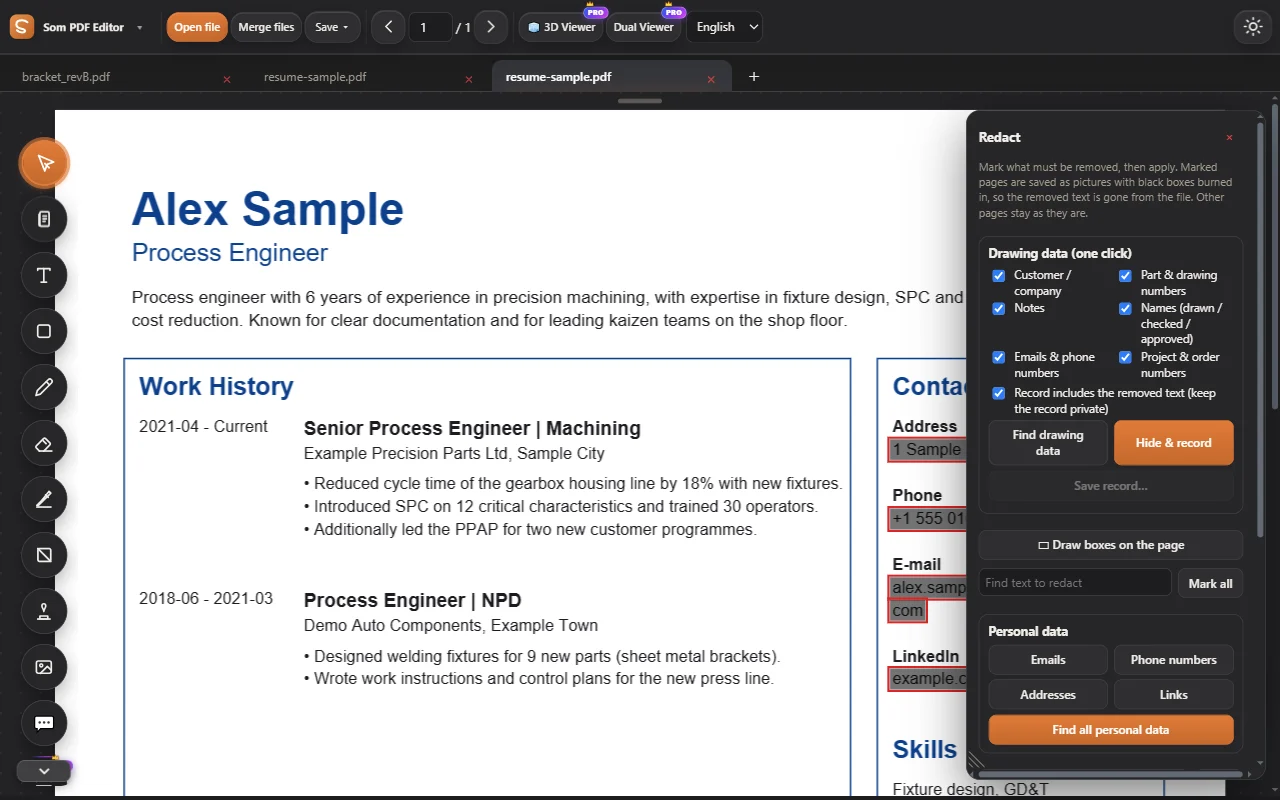
Find emails, phone numbers, addresses and drawing data in one click. Marked pages are rebuilt with black boxes, so the hidden text is gone from the file.
- Personal data and drawing data finders
- A record of what was removed, if you want one
- Works on scans too
Ready to print, before it goes
Print check looks at what a printer or a print shop will run into: fonts that are not embedded, pictures too soft for their size, RGB colours, artwork at the edge without bleed, text too near the cut, thin lines and tiny text.
- Office printer or print shop, each with its own limits
- Click a finding to go to its page
- A print-shop copy with bleed, crop marks and boxes
What a PDF would do when you open it
The safety check reads every script and action in the file and says what each would do in plain words: send your data, start a program, open a site, run an attached file. And it finds links whose words name a different site from the one they open.
- Risky, Be careful or Looks safe
- Drafyx never runs any of it
- Make a safe copy in one click
Everything in Protect & prepare.
Redact
Find emails, phone numbers and addresses in one click; black boxes burned in for good.
See how it works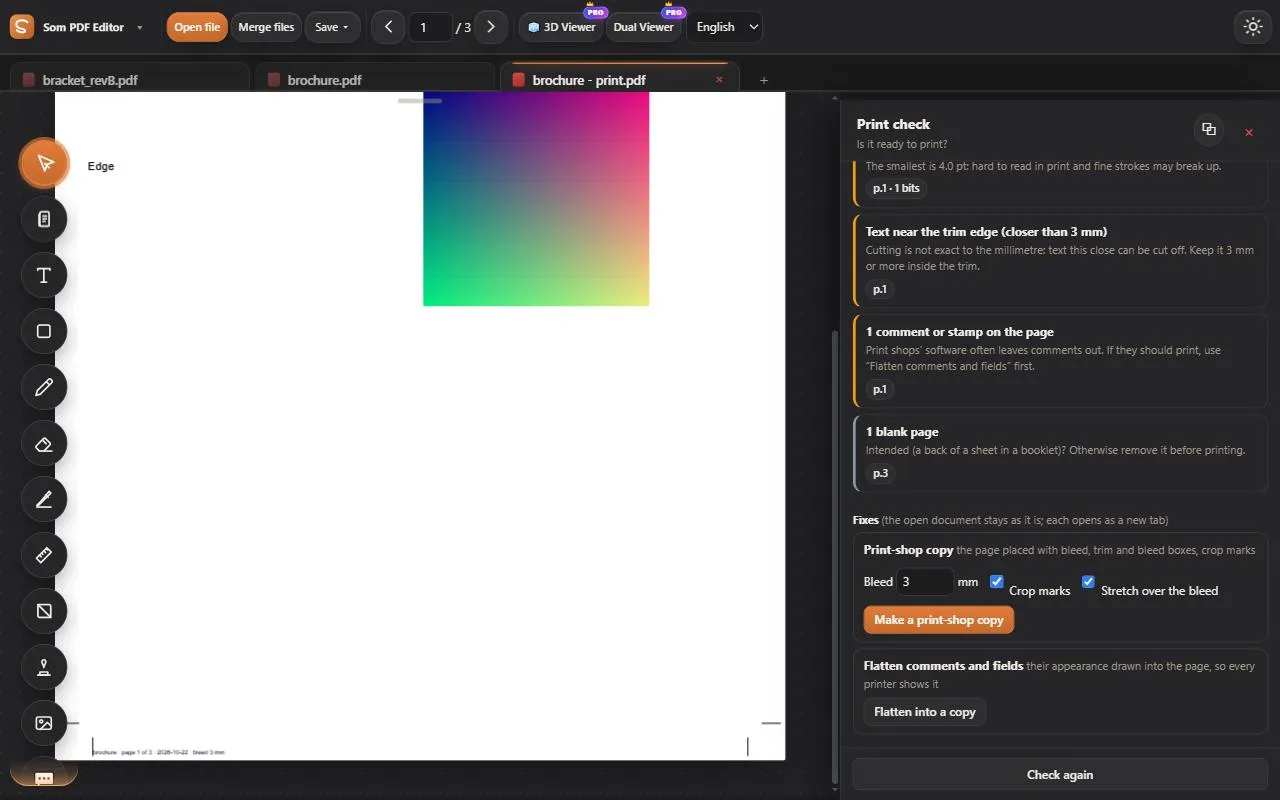
Print check
Ready to print? Fonts, picture sharpness, colours, bleed, thin lines and tiny text, for an office printer or a print shop; a print-shop copy with crop marks.
See how it works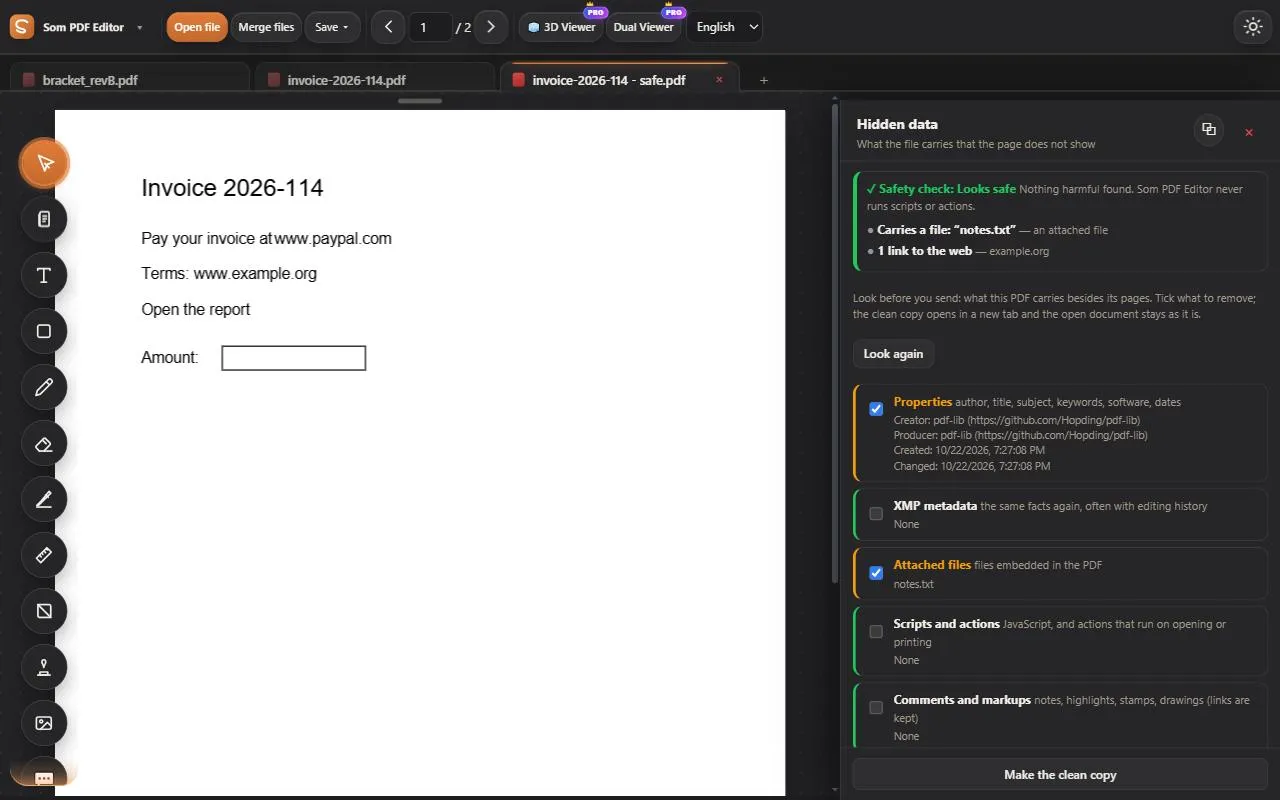
Safety check and hidden data
What a PDF would do when opened, in plain words: scripts, programs, links that lie, risky attachments. A safe copy; author and history removed.
See how it worksAccessibility check
Tags, alternative text, contrast and reading order.
PDF/A
A PDF/A-2b copy for long-term archiving.
Try every tool, free for 3 days.
Log in and work on our sample PDFs. Move to Pro when you want your own files.