3D
A model beside its drawing, measured and weighed, and the 3D studio, which reads a drawing into a real solid or builds a part you describe and draws it again.
The 3D model next to the drawing
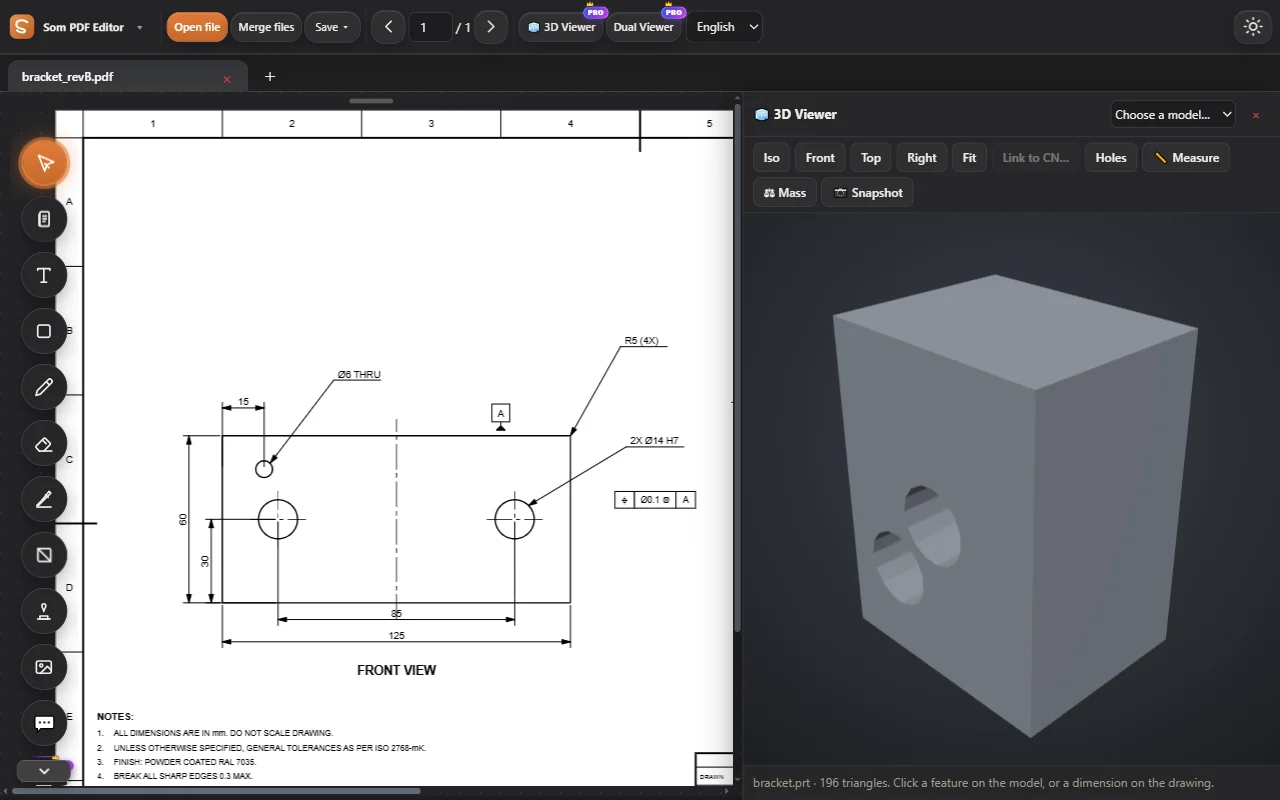
Open STEP, IGES, STL, glTF and more beside your drawing, even NX parts without NX. Click a hole on the model to find its dimension on the drawing.
- Measure by clicking surfaces: distance, radius, angle
- Volume, area and weight in 134 materials
- Snapshot the view onto the drawing
From words to a part and its drawing
Type what you need: the 3D studio asks for what is missing, builds a real solid with a CAD engine on your device, checks it and draws it in first or third angle, with views, dimensions and notes. Or it reads the drawing on the page into 3D.
- Implants, mechanical parts, tools, car and aircraft parts
- Changes in plain words: “bore 60”, “8 holes”, “size 5”
- STEP, STL, FreeCAD; the drawing as PDF or DXF
Everything in 3D.
3D Viewer
A model beside the drawing: STEP, STL, IGES, glTF and NX parts without NX.
See how it works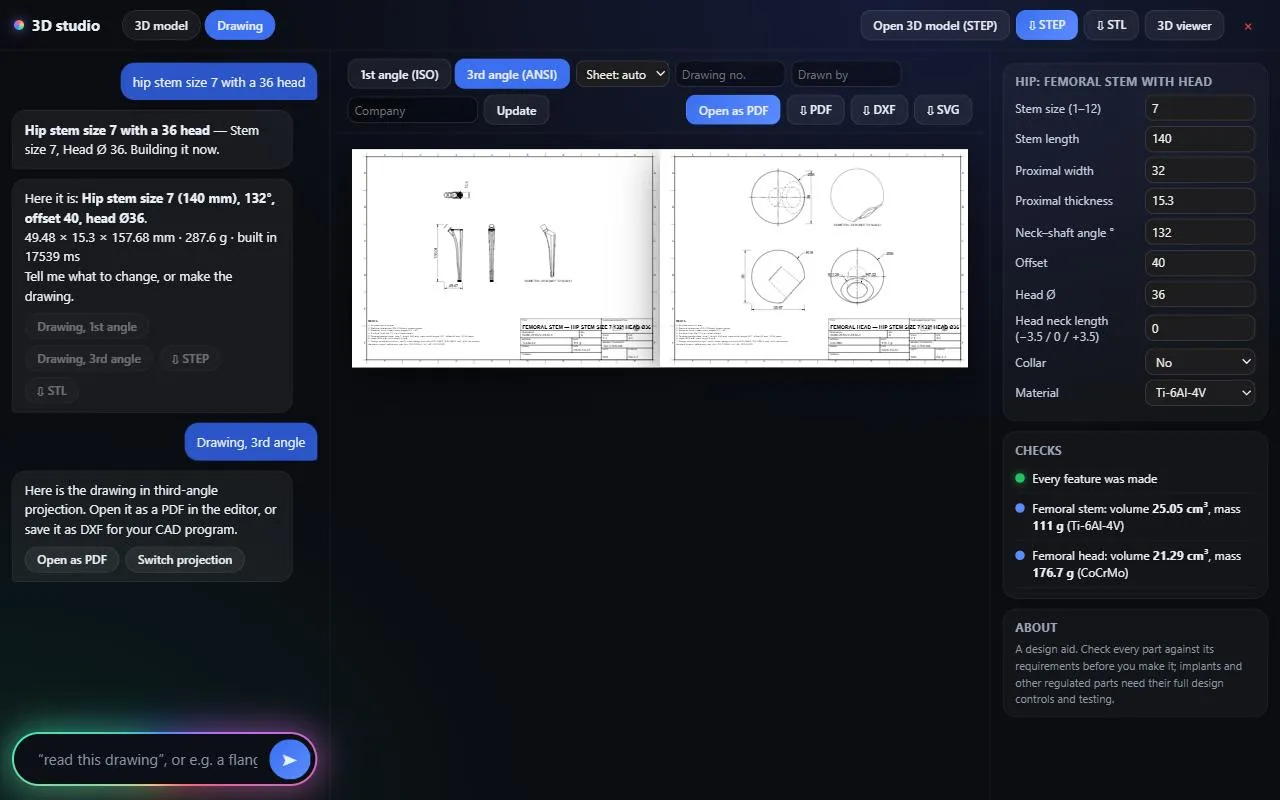
3D studio
A drawing into a 3D solid, or a part described in words: orthopaedic implants, mechanical parts, tools, car and aircraft parts. STEP, STL and a full drawing.
See how it works3D measure and mass
Measure by surface, and weigh in 134 materials.
Try every tool, free for 3 days.
Log in and work on our sample PDFs. Move to Pro when you want your own files.